
Powerful tools for modern assurance teams
From audit planning and mobile evidence capture to corrective actions, verification and reports, OrcaSure keeps the complete assurance process connected.
See it with your processEverything you need to manage assurance with confidence
The platform is designed around real assurance work, pairing operational capture with clear follow-up, review and visibility.

Digital audits
Create audit types, templates and questions, then complete audits digitally with evidence attached.

Actions & follow-up
Assign ownership, record comments, upload evidence and track findings through corrective work.
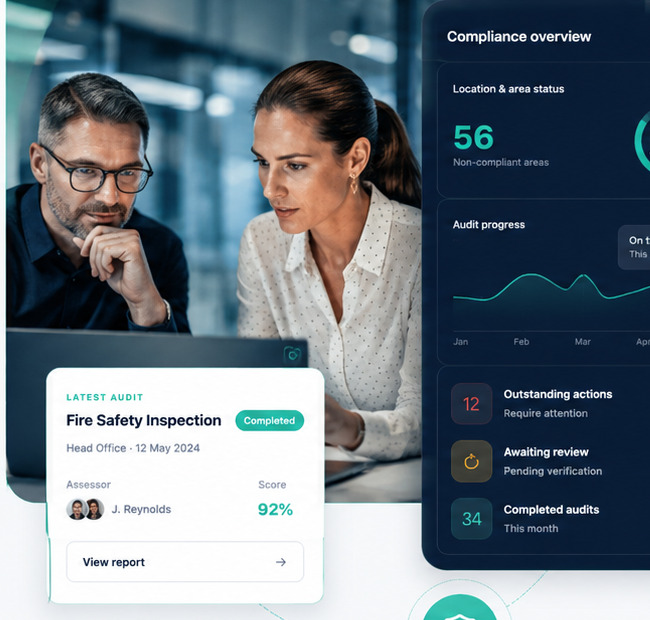
Compliance review
Review submitted corrective actions, verify completed work or return items for further attention.

Reports & insights
Filter assurance information by structure, status and activity and produce audit and failure reports.
More than a digital checklist
OrcaSure supports the structure, scheduling, access and workflow controls needed to run assurance at scale.
Audit scheduling
See upcoming, due and overdue activity and keep reschedule reasons recorded.
Question library
Maintain reusable questions, answer options, categories, risk types and notification requirements.
Users & roles
Create permissions and role-based access with separate auditor, reviewer and administration experiences.
Email & notifications
Support workflow communications, magic-link compliance access and configurable email delivery.
Fast on site. Clear at the desk.
Different people need different ways into the assurance process. OrcaSure keeps paid licensing focused on administrators and physical auditors while allowing standard users to participate without an audit licence.
Android audit app
Physical auditors can carry out site-based audits on Android, capture findings and attach photographic evidence.
QR & NFC scanning
Scan a QR code or tap an NFC tag to identify the relevant location, area or audit point quickly.
Issue reporting for standard users
Standard users can raise operational issues without a paid audit licence and can also work through a laptop or PC.
Compliance dashboards
End users get an at-a-glance view of their department, assigned work, status and the evidence needed to close actions.
A connected workflow, not a collection of disconnected forms
OrcaSure is designed so the audit is only the start. Findings can flow into accountable actions, evidence can be reviewed, and the final outcome remains attached to the original assurance activity.
What the platform covers
A more detailed summary of the areas included in the product.
| Area | Capabilities |
|---|---|
| Audits | Types, templates, question library, scheduling, calendar, digital completion, history and PDF output. |
| Evidence | Responses, comments, photographs, corrective-action evidence, review decisions and timestamps. |
| Actions | Issue identification, assignment, status, resolution comments, review and verification. |
| Structure | Locations, zones/departments, operational areas and responsibility mapping. |
| Access | Users, roles, permissions, user-specific access and dedicated workspaces. |
| Reporting | Management reporting, end-user compliance dashboards, department-level at-a-glance views, filtering, audit history, compliance visibility and downloadable reports. |
| Mobile & tags | Android auditing with QR and NFC scanning to reach the relevant location, area or audit point quickly. |
| Standard users | Raise issues and participate in corrective-action workflows from a laptop or PC without consuming a paid administrator/auditor licence. |
| Platform | Customer workspaces, trial management, billing workflows, email configuration and platform administration. |
Want to see the workflow with your own use case?
Tell us how you currently run audits and follow-up actions.